Cyber Hygiene for Students and Remote Workers is essential for protecting personal and institutional data from cyber threats. Both groups face similar risks, including phishing attacks, unsecured networks, and malware, especially when working or learning from home.
Previously, a student lost her email account for clicking on a fake internship link. Within minutes, her social media handles, academic projects, and her personal photos were deleted and misused. These cases aren’t rare now. They are very common. Students as well as remote workers spend a long time online. So security awareness is very necessary, as this may make them a simple target for cybercrimes. Cyber hygiene for students and remote workers is simply about daily habits and practices for protecting your privacy online. As remote work and online classes are rapidly increasing, practicing cyber hygiene for remote workers and students is now a necessity, not an option.
What Is Cyber Hygiene?
Cyber hygiene simply refers to the practices and procedures an individual or organization goes through to maintain digital security, such as devices, networks, and data.
It is very similar to personal hygiene. Just as you wash your hands to prevent germs from getting into your body. Daily cyber hygiene practices help you stay away from digital harm. Habits like strong passwords, two-factor authentication sign-in, and updating software can help in strong cyber hygiene for students and remote workers.
Cyber hygiene matters with our daily activities like banking, work, and even social media posts. Avoid clicking on unknown or random links being sent to you or sharing unknown OTPs. Strong cyber hygiene for students and remote workers will build long-term security for their data, accounts, or devices and reduce risks.
Why is Cyber Hygiene Critical For Students and Remote Workers?
Students, as well as remote workers, face higher risks of cybercrimes. For instance, public Wi-Fi. Over 25 per cent of public Wi-Fi hotspots are not safe. Public Wi-Fi can be found anywhere, be it cafes, airports, or railway stations. Phishing attacks have risen by more than 60% all over the world with the rise of remote work and online education.
For remote workers, they work from home on personal networks. Criminals target weaker home setups more. Even when handling sensitive data like company finances or IP, cyber hygiene will help in preventing leaks. It will protect the organization’s reputation and will also protect it from having huge financial losses.
For students, handling personal data and other academic development, it makes them an easy target to access sensitive information for cyber criminals. Schools are also often negligent and should protect their students’ data and provide practices on good cyber hygiene. Developing good Cyber hygiene habits helps students to be more professional in the future. Having data back-ups, secure networks, phishing awareness and strong passwords helps make cyber hygiene for students and remote workers stronger.
Read more: Cyber Security Course in India
Common Cyber Threats Faced Daily
Cyber threats today are commonly faced. Reports show 9 out of 10 cyber attacks begin with phishing. Over 65% of people reuse passwords across platforms. Every 11 seconds worldwide, a ransomware attack occurs. Common data leaks include Aadhar, PAN, Voter ID, university ID, and driving license that are exposed.
People often use AI to impersonate. Be aware of phishing. Malware, including viruses, worms, and spyware, can destroy systems. Supply chain attacks are also common through third-party vendors. DDoS puts networks through fake traffic. Also, be aware of insider threats like misuse of data. Knowledge of these helps with cyber hygiene for students and remote workers, and also in preventing cybercrime.
Essential Cyber Hygiene Practices Everyone Must Follow For Data Security
Essential cyber hygiene practices include the use of strong and unique passwords, using two-factor authentication, keeping software updated, using secure Wi-Fi and practicing safe browsing.
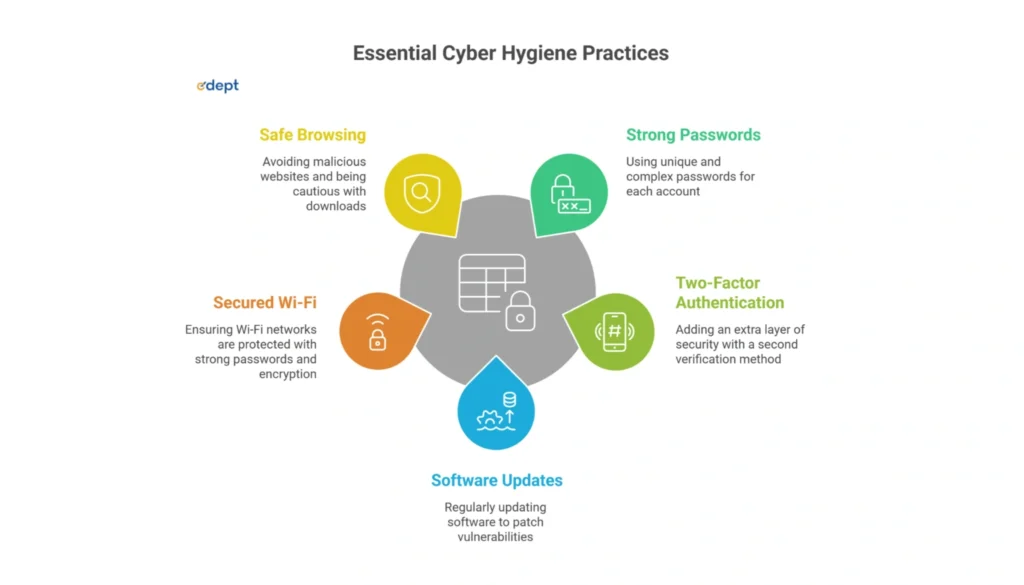
1. Use Strong and Unique Passwords:
Making a strong yet unique password for each of your accounts is an important step in safeguarding your digital identity. You must avoid using an easily guessable password or the same password for every account you make online.
2. Two-Factor Authentication ( 2fa ):
Enabling two-factor authentication adds an extra layer of security that significantly lessens the chances of unauthorized access to your data. It can be through text messages or an authentication app. Two-factor authentication provides a barrier against intruders.
3. Keep Software Updates :
Regularly update your software, as 60% of breaches occur due to outdated software. Outdated software often includes patches for security vulnerabilities. Keeping software up-to-date prevents risk of exploitation from cyber criminals.
4. Secured Wi-Fi Network:
Ensure your home and office Wi-Fi networks are secure – use a strong password for the network, and enable network encryption. You can also learn and help others learn about the most recent online threats.
5. Safe Browsing Habits :
Looking after your security: safe browsing Safe practice by not using malicious websites. Remember to be careful when downloading things, and check out privacy-focused extensions to keep that browsing secure.
In addition to these, you can also track your digital footprints and utilize an antivirus software to secure important files and back up data every day. These are good habits for students and at-home workers to protect their data.
Cyber Hygiene Tips for Students
Students should protect their academic projects and data. For students, cyber hygiene involves using 2 factor authentication or strong passwords for safety. You can also use a password manager to generate a strong yet unique password. Adjust your privacy settings to control and secure your social media accounts. Always make sure to log out of shared devices’ accounts.
Now, for device and software safety, update your software or apps regularly. Turn on your network firewall. Make sure to encrypt sensitive data and devices like USB drives. Even in online activity, think before clicking on any email, texts or especially links. Do not open unknown attachments and only download apps from a trusted platform. Have a habit of backing up your data and securing your home Wi-Fi. Also, make sure to be mindful of whom you share your personal information with, like photos and videos. Good cyber hygiene for students and remote workers starts in student life.
Cyber Hygiene Tips For Remote Workers
For remote workers, Good cyber hygiene begins with secure work. Make sure to lock your device with a PIN and secure your home Wi-Fi with strong passwords. Use strong WPA3/WPA2 encryption. Also, set up a guest network. Use a company’s VPN, specifically on public Wi-Fi, to encrypt traffic. Install an antivirus and keep firewall software updated. Use separate profiles for work and personal use. Watch out for unexpected emails, links, or attachments that may lead to phishing. Contact the IT department for any suspected security issues. Verify any calls and requests you receive. Such habits carry good cyber hygiene for students and remote workers.
Why Cyber Hygiene is Essential for Data Security
Cyber hygiene is essential for data security as it forms the first line of defense against everyday cyber threats such as phishing, malware, and ransomware. Just like personal hygiene prevents illness, strong cyber hygiene practices, which include regular software updates, strong passwords, secure backups, and cautious online behavior, help prevent security breaches before they happen.
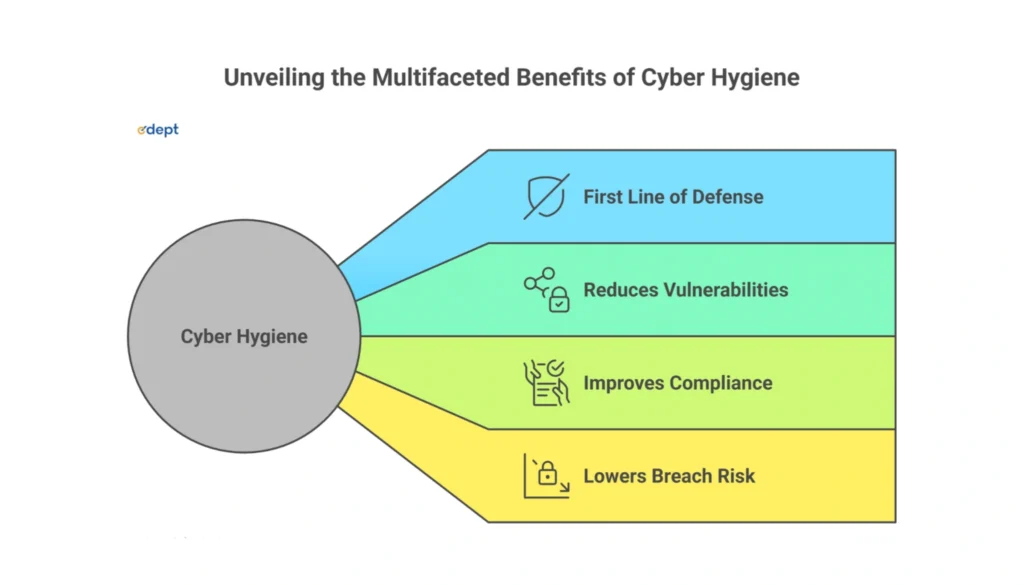
Maintaining proper cyber hygiene reduces vulnerabilities across networks, devices, and cloud platforms, making it harder for attackers to exploit security gaps. For remote workers and students, good cyber hygiene improves compliance with data protection regulations and lowers the risk of costly breaches. In today’s digital world, practicing cyber hygiene is not an option but a necessity.
Simple Tools That Improve Cyber Hygiene
We will use a 10-point checklist for this to make sure you have everything checked as well, and so it’s easy for you to get an insight. These will help in maintaining cyber hygiene for students and remote workers.
1. Update your password regularly.
2. Enabling two-factor authentication ( 2FA ) or multi-factor authentication ( MFA ).
3. Encrypt your data.
4. Download an antivirus software or a malware scan.
5. Secure your home wifi and use a VPN to encrypt your internet connection.
6. Delete all the data before recycling your devices.
7. Enable auto update on software.
8. Keep a backup of your data daily.
9. Think before you click on any links or attachments.
10. Stay up to date with online threats and cybercrimes.
Also read: Cybersecurity vs Ethical Hacking 2026
Closing: Cyber Hygiene As A Daily Chore
Cyber threats are expanding. Small errors like using easy-to-guess passwords, overlooking updates or clicking unsafe links can result in significant data breaches. That’s why for students and remote workers, cyber hygiene should be an everyday practice. Basic practices like locking devices, using strong authentication, and being vigilant online can make most cyber attacks less effective. Cyber hygiene is not about fear; it’s really that idea of trust and responsibility. Maintaining good cyber hygiene for students and remote workers is necessary for protection against cybercrimes.
Faqs
What Is Cyber Hygiene In Simple Terms?
Cyber hygiene simply refers to the practices and procedures an individual or organization goes through to maintain digital security, such as devices, networks, and data.
Why Is Cyber Hygiene Important For Students?
People do make use of the cloud to store personal information, academic transcripts, and certificates. This, however, could be a result of poor cyber hygiene, which can cause data loss, account misuse or even identity theft. It is therefore important to start training students from an early stage on how to practice cyber hygiene since this goes a long way in ensuring their safety for the rest of their careers.
How Can Remote Workers Protect Their Data Online?
For remote workers, they should use strong passwords as well as enable 2FA, secure the Wi-Fi, and use VPNs. Also, they should follow the company’s security rules and avoid sharing files through unapproved platforms.
What Are The Most Common Cyber Threats Today?
Reports show 9 out of 10 cyber attacks begin with phishing. Over 65% of people reuse passwords across platforms. Every 11 seconds worldwide, a ransomware attack occurs. Common threats include data leaks like Aadhar, PAN, Voter ID, university ID, and driving license that are exposed.
Is public Wi-Fi safe for work or study?
No, public Wi-Fi or hotspot is very risky as intruders get easy access to your network, all the data, academics or work. Use a company’s VPN, specifically on public Wi-Fi, to encrypt traffic.
What tools help maintain good cyber hygiene?
Update your password regularly, enable two-factor authentication ( 2FA ) or multi-factor authentication ( MFA ), encrypt your data, download an antivirus software or a malware scan, secure your home wifi and use a VPN to encrypt your internet connection. Delete all the data before recycling your devices, enable auto update on software, keep a backup of your data daily, think before you click on any links or attachments, and stay up to date with online threats and cybercrimes.
How often should passwords be changed?
Passwords should be changed atleast one time in every 3-6 months for security. You can also consider using a password manager to create a unique and better password that isn’t easily accessible.
Can cyber hygiene prevent phishing attacks?
Yes. Unexpected emails, links, or attachments that may lead to phishing. So, practicing cyber hygiene for students and remote workers is very necessary to avoid coming across cybercrimes.