Data Analytics Tools help to collect, clean, analyse, and visualise data for insights. Popular options include Excel, SQL, Python, R, Tableau, Power BI, Google Analytics, and Apache Spark; these are used for ETL, dashboards, and predictive modelling.
The massive amount of data available today requires companies to move away from trusting their instincts and old methods. Using data to make decisions is now standard, and the right tools in your analytics toolbox can help your business succeed instead of standing still.
The function of a data analyst is much different today than it was a few years ago. Previously, Excel was the main software for data analysis, but current analysts can use stronger tools for handling big datasets, applying machine learning models, and seeing results instantly. This blog focuses on the 15 leading data analytics tools in 2025, explaining the unique qualities, functions, and practical applications of each one.
What Are Data Analytics Tools?
Data analytics tools provide the ability for data analysts to collect, process, and analyse larger amounts of data. These tools help professionals transform data into meaningful information that guides company decisions. Regardless of whether your data is nicely arranged in spreadsheets or just poured from social media or IoT data, data analytics tools make it easy to clean, view, and interpret.
Data analytics tools are crucial in any business. They support data analysts in automatic, precise, and fast handling of tasks. Besides that, these tools supply easy-to-read graphs and advanced ways to analyse data, making it simpler to find unexpected trends and patterns.
Why Use Data Analytics Tools in 2025?
Advances in big data, artificial intelligence (AI), and real-time analysis are increasing how quickly of data analytics tools are getting used in many sectors. Because businesses produce more data now than in the past, being able to handle that data quickly and effectively is very important.
Key benefits of using data analytics tools include:
- Time-saving: Automation helps analysts save time by automating some of the tasks.
- Better insights: Tools let analysts find useful insights hidden from view by applying advanced statistics and machine learning.
- Improved decision-making: Because of real-time analytics, businesses can make decisions faster than their competitors.
15 Best Data Analytics Tools for Data Analysts
Here’s a glance at the top 15 data analytics tools for 2025, each with its unique capabilities:
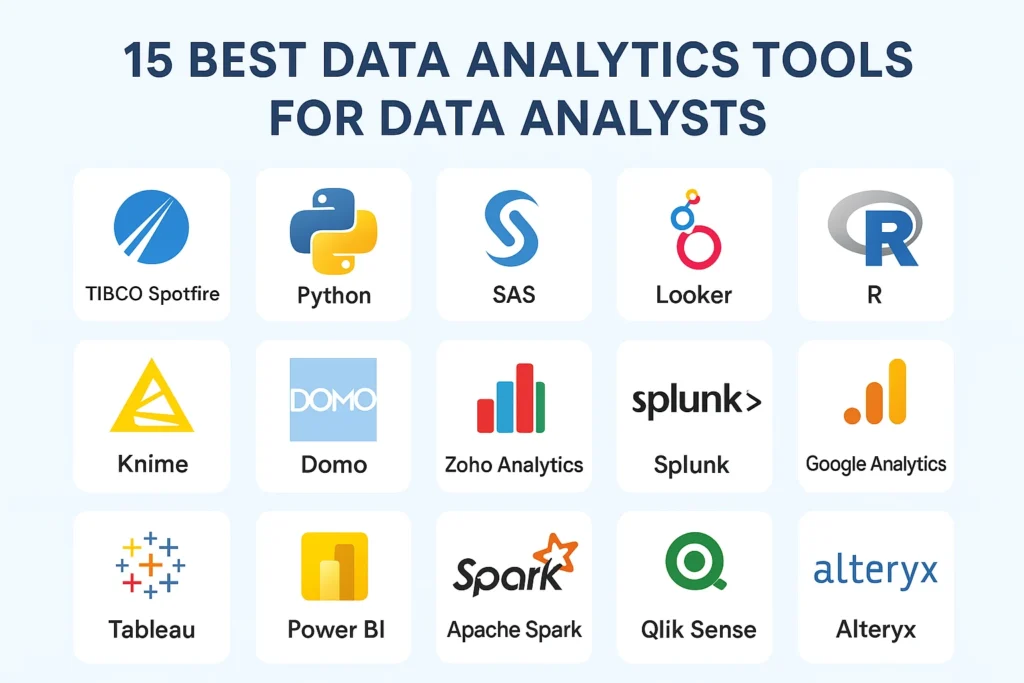
1. TIBCO Spotfire
TIBCO Spotfire is an Analytics Software known for its visual data discovery and data science capabilities. This software enables users to create interactive dashboards, analyze data, and perform predictive analytics using a self-service interface, and most importantly, it is user-friendly.
Key Features:
- Data Exploration
- Visualisation
- Predictive Analytics
Best for: Real-time analytics, visualisation
2. Python
Python is a programming language that is mostly used in Data Science, Software Development, Web Applications, and Machine Learning.
Key Features:
- Libraries (Pandas, NumPy, Matplotlib)
- Data Manipulation
Best for: Data analysis, machine learning
3. SAS
Statistical Analysis System is an analytics software suite developed by SAS Institute for advanced analytics, data management, business intelligence, multivariate analysis, and predictive analytics.
Key Features:
- Advanced Analytics
- Predictive Modelling
- Data Mining
Best for: Predictive analytics, large enterprises
4. Looker
Looker is a Business Intelligence platform that is now part of Google Cloud, which enables users to analyse, explore, and visualise data to make informed business decisions. It provides tools for building reports and dashboards, using a SQL-based modeling language called LookML, and integrates with other Google Cloud services like BigQuery.
Key Features:
- Data Exploration
- Interactive Dashboards
- Analytics Workflow
Best for: Data analytics for business teams
5. R
R is a software environment and programming language that has evolved as the first choice for statistical computing and data analysis.
Key Features:
- Statistical Computing
- Data Visualisation
- Machine Learning
Best for: Data scientists, statisticians
6. Knime
KNIME, or known as Konstanz Information Miner, falls under the domain of data science and is a free and open-source data analytics platform that uses a graphical, drag-and-drop interface to build and manage workflows. It permits users to analyse, integrate, and model data from multiple sources, even without extensive knowledge in programming.
Key Features:
- Open-source
- Machine Learning
- Data Mining
Best for: Real-time analytics, visualisation
7. Domo
Domo is a cloud-based platform that is exclusively designed to support businesses in managing and analyzing data, offering tools for preparing, connecting, picturing, and collaborating on data in real-time.
Key Features:
- Data integration
- Visualisations
- Real-Time Data Access
Best for: Real-time data analytics
8. Zoho Analytics
Zoho Analytics is a self-service Business Intelligence and analytics platform that permits users to create visualisations, analyse data, and discover insights. It is developed to help businesses make informed decisions by providing tools for reporting, data analysis, and dashboard creation.
Key Features:
- AI-powered Analytics
- Interactive Reporting
- Data Blending
Best for: SMEs, data analytics
9. Splunk
Splunk is a software solution that helps users search, analyse, and visualise data generated by machines and serves multiple functions like IT operations, security, and business analytics. If we go by nature, Splunk functions as a robust tool for extracting operational insights from log files and other machine data.
Key Features:
- Real-Time Monitoring
- Machine Learning
- Visualisations
Best For: IT operations, security analytics
10. Google Analytics
Google Analytics is a web analytics tool provided by Google that monitors and analyses website traffic and user interactions. It offers valuable information regarding how users engage with a site, covering aspects such as traffic origins, user involvement, and conversion metrics. This information assists companies in understanding their audience, enhancing their online existence, and refining marketing tactics.
Key Features:
- Traffic Analysis
- Conversion Tracking
- Data Segmentation
Best for: Website analytics, marketing
11. Tableau
Many users choose Tableau because it lets them create and share interactive dashboards. This tool makes data viewing simple with its drag-and-drop design, and its flexibility, including its capability to connect to numerous data sources, makes it flexible.
Key Features:
- Interactive dashboards
- Seamless integration with cloud databases
- In-depth analytics tools, including forecasting and trend analysis
Best for: Data visualisation and business intelligence. Tableau makes it simple for organisations to give stakeholders access to data so they can make fact-based decisions.
12. Power BI
Power BI from Microsoft is used for smart data analysis and clear visualisation in businesses. It works perfectly with other Microsoft products and gives detailed reporting tools. This is most helpful for businesses that rely on Microsoft products.
Key Features:
- Integration with Microsoft products
- Advanced analytics and AI-powered visuals
- Real-time data updates
Best For: Businesses using Microsoft products and those looking for detailed reporting and data visualisation.
13. Apache Spark
For big data processing, Apache Spark is a go-to solution. Much faster than conventional tools, Spark handles large datasets. It can run real-time analytics, which is why it is excellent for preventing fraud.
Key Features:
- Distributed data processing
- Real-time stream processing
- Support for machine learning with MLlib
Best For: Big data processing, real-time analytics, and machine learning tasks.
14. Qlik Sense
Qlik Sense offers self-service analytics, enabling users to explore data on their own without relying on IT. Its unique associative data model allows users to easily uncover relationships within their data.
Key Features:
- Self-service data exploration
- Associative data model for deeper insights
- Advanced data visualisation and reporting tools
Best For: Business intelligence, particularly for teams that need flexible, on-demand data analysis.
15. Alteryx
Alteryx is especially strong at handling data getting, blending, and automated tasks. It is meant to make cleaning data faster so analysts can spend their time on analysis instead.
Key Features:
- Data blending and preparation
- Automates repetitive workflows
- Integration with other tools like Tableau
Best For: Getting data ready and using automation, especially when large amounts of data are involved, for analysts.
Key Features to Consider When Choosing Data Analytics Tools
These are important features to check when choosing a data analytics tool to ensure it’s suitable for your business:
- Can the tool be used with the systems and data sources you already have?
- Is real-time monitoring available, so you can make faster decisions with the latest data?
- Does the tool feature AI and machine learning, which helps you detect trends and make predictions?
- Can information be shown clearly and interactively so that sharing data insights is easy?
- Can team members simply get together and share their reports and dashboards?
- Will the tool be able to handle your data needs as they grow larger?
Future Trends in Data Analytics Tools
As data continues to grow in volume, velocity, and most importantly, variety, the analytical tools are evolving to meet the demands for faster insights, improved efficiency, and smarter decision-making. With the upcoming years in 2025 and beyond, the major shift is towards automation, real-time analytics, and AI integration. Here are some of the key trends in shaping the future of data analytics tools.
- Augmented Analytics: Online sites now leverage Natural Language Processing (NLP) to permit users to ask about data in simple English by making analytics more attainable to non-technical teams.
- AI-Powered Insights: Tools are increasingly implementing artificial intelligence and machine learning programs to automate pattern detection, anomaly detection, predictive modeling, and reduce manual intervention.
- Real-Time Data Processing: Businesses are adopting streaming analytics tools to process data instantly for time-sensitive decision making, especially in finance, IoT, and commerce.
- Cloud-Native Solutions: With remote work and distributed data sources, cloud-based analytics platforms are becoming a benchmark that offers flexibility, scalability, and seamless integration.
- Data Governance & Security: As privacy regulations become stricter, Data Governance & Security come into play. The data analytics tools include compliance features, stronger encryption, and computerised data governance frameworks.
- Integration with Emerging Technologies: The tools of the future will integrate with blockchain systems, IoT devices, and edge computing for broader data capacities.
- Low-Code/No-Code Analytics: More and more platforms are offering drag-and-drop interfaces, allowing business users to perform advanced analytics without the understanding of skills related to in-depth programming skills.
Conclusion
In short, preparing for the future means making sure you choose the best data analytics tools this year. The apps and programmes you select can support you in understanding your data, working efficiently, and guiding your choices. No matter if you are a beginner or an experienced user, all the tools here include the flexibility, scalability, and useful features required to stay ahead in data analytics.
If you use the correct data analytics solutions, you can help grow the business, make it more efficient, and use data-based tactics that you can measure. Start finding out about these tools now to reach a better level of data analysis.
FAQs
1. What are the most important data analytics tools to learn in 2025?
To get started with visualisation, use Tableau or Power BI, and if you want to use machine learning or advanced analytics, Python or R is the way to go.
2. Are there free data analytics tools available?
Yes! You can use Google Analytics, Python, and R for free because they are open source.
3. Can I integrate multiple tools for better analytics?
Absolutely. There are tools like Tableau and Power BI that can work with other programmes for smooth integration.
4. What is the most effective tool when analysing big data?
Big data processing and real-time analytics can be done most effectively with Apache Spark.
5. Are data analytics tools easy to learn?
Many new analytics tools are easy to use thanks to their simple user interfaces, which are convenient for both novices and experts. But using Python or R might mean you have to be familiar with programming.